
QR Code on Membership Cards: How Museums Get Them Right in 2027
Cuseum · November 10, 2026
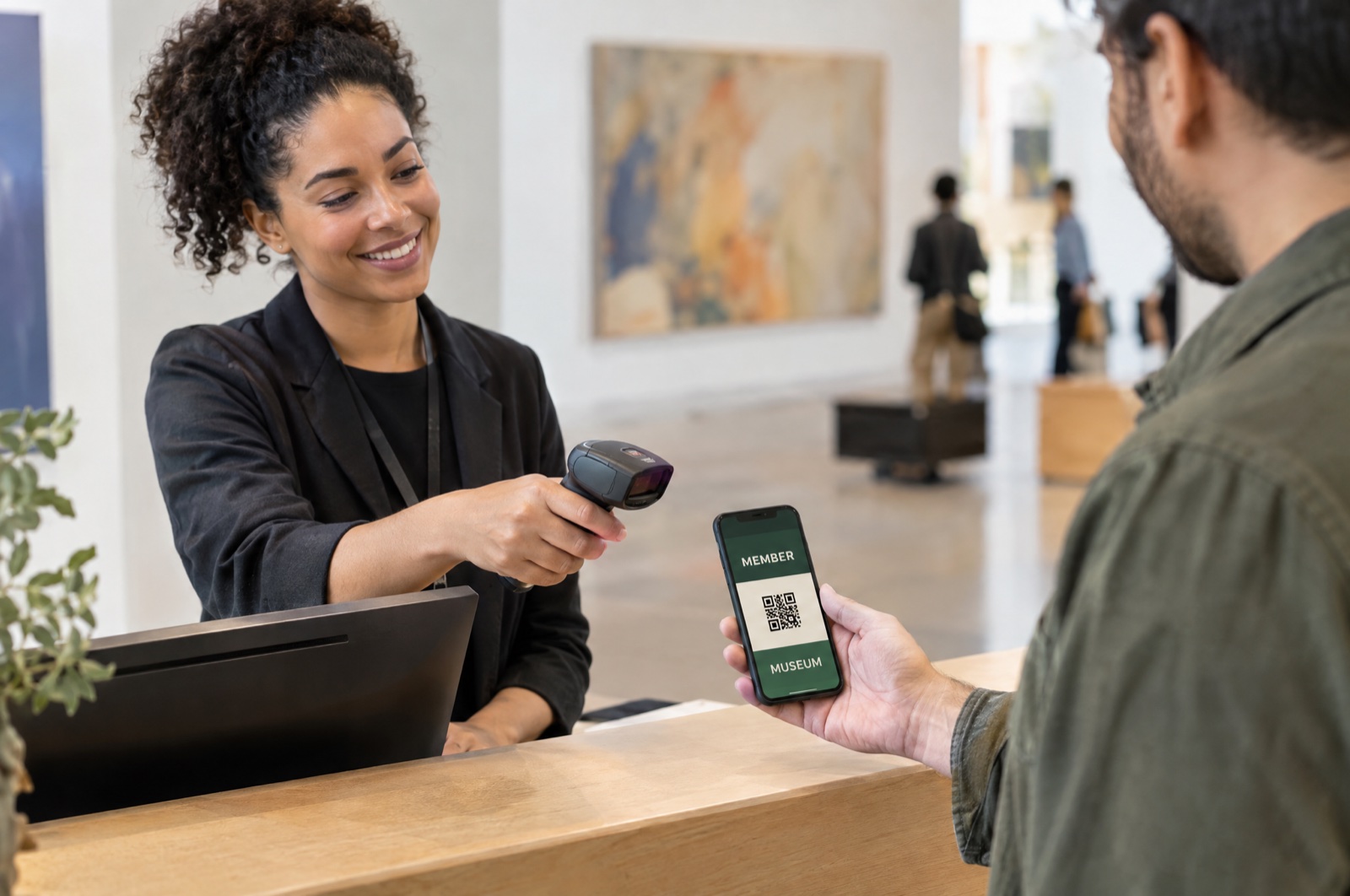
Imagine a member arriving with two children and a guest. Their membership renewed yesterday, but the card on their phone still shows the old expiration date. A volunteer scans it. What should happen next?
For museums planning their 2027 membership experience, that moment is a useful starting point. A QR code membership card should help staff find the right record, understand the benefits available, and welcome the member with confidence. The design of the code is only one part of the job.
Apple and Google both promote barcode scanning as a way to use wallet passes. Here at Cuseum, we also share guidance for scanning membership cards and recording attendance. Those capabilities become useful when the card, the member data, and the front-desk procedure work together.
Here is how to build that process, including the checks to run before members depend on it.
Understand What a QR Code Membership Card Does
A QR code on a membership card is essentially a scannable, visual code that represents information used to identify or verify a membership. That information might be a member number, a reference to a record, or a link understood by the museum's system.
When staff scan it, the reader decodes the information. The connected software must then interpret it and apply the museum's rules. Reading the code, checking current membership status, and recording a visit are sometimes separate steps.
A QR code that opens the museum homepage will not establish who the member is. A code that returns a member number still needs a process for checking the correct record. Ask what the scan actually returns and which system decides whether the member is eligible.
Also distinguish the direction of the scan. A visitor scanning a gallery label to open interpretation is a different activity from an employee scanning a member's card at admission.
Compare the Code, the Card, and the Wallet
A QR code is a type of scannable symbol. Plastic, paper, PDF, and mobile wallet describe ways to present it. Compatible codes can be scanned from any of those formats.
| Format | What the member presents | What to check |
|---|---|---|
| Plastic card with a QR code | A physical card with printed membership details | Printed text stays fixed. Confirm whether the scan looks up a current record. |
| Printed card | A paper credential carrying a code and readable details | Test print quality and provide a replacement process. Printed details do not update themselves. |
| PDF or card image | A file opened on a phone, or printed | A downloaded copy stays unchanged. Its code may still reference a current record if the system supports that lookup. |
| Apple Wallet or Google Wallet pass | A saved pass with membership fields and a supported barcode | The issuer can support updates. Verify the actual update process and compatible scanning setup. |
An electronic membership card might be a PDF, a browser-based card, or a wallet pass. Providers also use the broader term virtual membership cards. Neither label tells you whether a card updates, whether a scanner checks live data, or whether a visit is recorded.
Cuseum's printable membership card option is also available as a physical fallback that exists within a digitally forward program. Choose the presentation around the member's needs and the museum's verification process.
Use Wallet Passes for Access and Updates
Wallet passes give members a familiar place to keep their card. Apple's Wallet guidance explains that passes can be distributed through email, the web, or an app. Members can add a pass without installing a separate app from the issuing organization.
Apple Wallet supports QR barcodes and can update passes. Google's pass documentation describes barcode scanning and NFC as separate redemption methods. A QR code on a wallet pass does not automatically make it a tap-to-enter credential. NFC needs its own supported implementation.
Wallet storage also does not guarantee that every membership change appears immediately. Establish how a renewal moves from the membership database to the card platform and then to the saved pass. Test that sequence with your own setup.
For broader background, Cuseum's guide to using digital membership cards in Apple Wallet and Google Wallet explains the member experience. The admissions test should concentrate on what staff see when they scan.
Test the Reader at the Actual Desk
An existing barcode scanner may work well with printed cards and struggle with a phone screen. Apple recommends testing passes with the hardware you expect to use and notes that optical scanners work better than laser scanners for iPhone screens.
Confirm that the reader supports QR codes specifically. A device described as a barcode scanner may be intended for a different format. If staff use a camera-based application, confirm which card templates and code values it recognizes.
Try both iPhone and Android passes under normal desk lighting. Include smaller screens, screen protectors, and the angles members naturally use when holding a phone. Keep the code unobstructed and avoid artwork that competes with it.
Run the same tests at the main entrance, a member preview, and any other location where cards will be checked. A successful demonstration at an office desk does not establish readiness for a busy gallery entrance.
If you are still comparing platforms, Cuseum's guide to digital membership card software for museums covers the wider buying decision. Use the checklist below to test the admissions workflow in practice.
Give the Front Desk a Practical Checklist
Before launch, membership and visitor-services teams should work through this checklist together:
- Confirm the record. Check that the scanned value finds the intended membership. Include similar names, household members, and any identifiers that could be confused.
- Check the entitlement. Decide how staff confirm adult and child admission, guest allowances, exhibition access, and store discounts. A valid membership alone may not answer each question.
- Test changes. Renew, upgrade, correct, and expire test memberships. Record when the database, pass, and scan result reflect each change.
- Define an expired-card response. Give staff a renewal explanation and a clear escalation or override policy. Include the opening scenario: a member who renewed but still sees an old date.
- Verify visit recording. Check that the intended member, location, and time appear in the attendance record. Decide how to handle accidental repeat scans.
- Prepare the device. Confirm camera permission, charge, connectivity, pairing, and the correct scanning location. Name the person staff should contact when setup fails.
- Rehearse a failed scan. Test unreadable codes, an unrecognized record, and a member who cannot find their card. Practice manual lookup and an appropriate identity check.
- Offer another route. Provide clear instructions for retrieving the card and an accessible printed or staff-assisted option for members who need it.
- Keep instructions within reach. Put the decision steps beside the desk and include them in volunteer training. Staff should know what to do after each result.
Use museum-approved test records throughout. The purpose is to uncover confusing decisions before they happen in a queue.
Plan for Screenshots, Outages, and Exceptions
A static QR code can be copied. Saving it inside a wallet does not, by itself, prevent another person from presenting a screenshot. Decide how staff will handle identity, household access, and suspected sharing without making ordinary members feel challenged at every visit.
Google documents rotating barcodes as an additional option that changes the code periodically and requires a reader programmed to accept the current value. This is a platform capability. Confirm provider support and reader compatibility before including it in a museum's requirements or member instructions.
Treat offline operation as a separate test. Displaying a saved credential, checking current eligibility, and saving attendance are different capabilities. While your members don't need an internet connection to open the cards saved in their mobile wallet, ask what happens when the scanning device loses its connection. Establish an outage procedure and how any temporary records will be reconciled.
Keep sensitive information out of visible codes where possible. Work with your provider on the minimum data needed, staff access, and attendance retention. Do not assume a scannable membership number is a secret or a complete identity check.
Know Which Cuseum Features You Are Using
Cuseum's digital membership cards support Apple Wallet and Google Wallet. Its products support card delivery, updates, renewal reminders, and connections to membership systems.
Attendance is a distinct part of the setup. Cuseum's Scanner App help guide identifies Attendance Tracking as an add-on. It describes pairing a scanning device in the CMS, choosing a location, and scanning supported membership-card codes.
The guide explains that an active membership scan records attendance. Staff can also search for a member when the card is unavailable. An expired-card result offers an Allow Entry Anyway action, which records the override visit. It does not automatically block admission.
Before rollout, confirm which features your museum has enabled, the supported pass template, the source and freshness of membership data, and the permissions staff need. Agree how your separate ticketing or POS process handles reservations, paid exhibitions, guest allowances, and discounts. A membership scan should have a defined role within that wider visit.
Pilot the Whole Arrival Experience
Start with a manageable group of members and a staffed entrance. Include different membership levels, phone types, and people who prefer a printed card. Ask them to retrieve and present the card without coaching first, then note where help is needed.
Track first-attempt scan success, manual lookups, outdated information, and staff uncertainty. Review repeat-scan handling and make sure the attendance records represent what happened. Set your own acceptance criteria before expanding the program.
An installation count tells you that a card was saved. An attendance record tells you something different. Neither, on its own, proves that members are renewing more often because of the card.
For 2027, build around a clear arrival process: make the card easy to retrieve, verify the right benefits, and give staff a dependable response when something goes wrong. That is how the technology earns its place at the front desk.
Ready to Improve Member Check-In?
Cuseum helps museums deliver digital membership cards through Apple Wallet and Google Wallet, with an Attendance Tracking add-on for supported scanning and visit recording.
Request a demo to walk through your museum's membership records, card formats, and front-desk scenarios.