Operationalizing the Institutional Repository: Cuseum + PastPerfect Integration
Maximize the efficiency of your collection management architecture. Connect your core database and digital asset management repositories directly to your cloud infrastructure to create a single, continuous system of record that eliminates data silos and manual file processing.
For institutions anchoring their preservation, cataloging, and archiving strategies on PastPerfect—the industry standard for over 12,000 organizations globally—maintaining absolute data integrity across your software stack is critical. Registrarial workflows, multi-catalog tracking, and digital archiving demand a secure, automated data pipeline that handles varied metadata schemas and high-volume media assets without adding technical friction.
Cuseum integrates directly with the PastPerfect ecosystem, bridging your on-site or web-based collection management software (CMS) and digital asset management system (DAM) with unified cloud infrastructure. By communicating programmatically through modern web service environments and secure data fetch routines, Cuseum enables automated data exchange, real-time metadata syncing, and structured asset pipelines that optimize back-office workflows and preserve data fidelity across your entire organization.
1. Automated Metadata Harmonization & Multi-Catalog Field Mapping
Your registration, cataloging, and archival teams shouldn't have to duplicate efforts or manually transfer object sheets across separate data stores. Isolated data sets create operational gaps, increase the risk of transcription errors, and make it difficult to maintain authoritative record histories across active accessions, loans, and exhibits.
Cuseum eliminates manual entry bottlenecks by linking directly with the PastPerfect web services API and underlying database layers, establishing an automated synchronization loop across all four core catalog streams.
Programmatic Catalog Mapping: Automatically map specialized metadata fields from the separate Objects, Photographs, Archives, and Library catalogs into a unified, cloud-indexed storage tier.
Authority File Enforcement: The data pipeline respects your pre-configured PastPerfect authority files and verified field parameters, ensuring data entry remains consistent and secure across your entire digital environment.
Persistent Record Fidelity: When a collections manager updates an item profile, modifies an appraisal history, or adjusts a temporary location log inside the CMS, the revisions reflect across your cloud architecture instantly to prevent data lag.
2. High-Velocity Asset Ingestion & Cloud DAM Optimization
A robust Digital Asset Management system requires fluid pipelines to ingest, organize, and distribute media files securely. High-resolution photo attachments, multi-page document scans, historical audio clips, and exhibition video logs must move cleanly between your central repository and connected operational environments without manual file manipulation.
Cuseum loops directly into the PastPerfect image management structure, optimizing asset delivery through automated, backend routing.
The Data Architecture Standard
Effective database orchestration treats assets as dynamic operational tools rather than static files inside a digital vault. By connecting your master DAM infrastructure directly to high-throughput cloud ingestion tools, you preserve original file data while automating downstream formatting, resizing, and secure delivery.
Frictionless Media Synchronization: Avoid the administrative overhead of manually downloading, formatting, and re-uploading rich media. Cuseum processes raw assets and associated metadata records via structured REST web service commands, updating your asset pipelines in the background.
Dynamic Media Grouping: Seamlessly handle multiple images and complex attachment tables associated with a single inventory entry, allowing the system to package alternative views, condition notes, and structural PDFs together automatically.
Secure Permissions Realignment: Control access precisely. Cuseum honors the user-level roles, query restrictions, and public-access configuration profiles established within your master database to keep confidential collections metadata secure.
3. Eliminating Data Silos in Registrar and Archival Workflows
As institutional data demands scale, tech stacks can quickly become fragmented, forcing separate internal departments to work out of isolated software tools. This separation often leaves teams reliant on slow, manual CSV file exports and ad-hoc spreadsheet updates, which slows down administrative workflows and risks record fragmentation.
Cuseum functions as an integrated, backend software layer that keeps your data moving smoothly, allowing your technical teams to focus on core archiving, cataloging, and preservation projects.
Frictionless SQL Backend Connectivity: Disconnect from tedious export-import routines. Cuseum communicates natively with your web-hosted or SQL-based application environments, pulling and organizing data securely without placing heavy query loads on your active production servers.
Unified Data Accessibility: Give your internal teams quick, automated access to current, verified collection metadata and media assets. This cross-departmental alignment improves communication between registrars, collections managers, and digital content coordinators.
Secure Enterprise Authentication: Protect sensitive collection records and contact profiles. Cuseum utilizes enterprise-grade API keys, encrypted data transport layers, and secure authentication protocols to safeguard your master system of record.
System Architecture Alignment Profile
The Cuseum Infrastructure Sync Layer
Primary Structural Role: High-throughput cloud database orchestration, automated field mapping, and secure asset pipelines.
Metadata Management: Performs dynamic schema translation, automatically mirroring and indexing validated catalog records across systems.
Media Handling Capabilities: Manages high-velocity asset ingestion, background file format optimization, and automated asset routing.
Technical Interoperability: Uses clean REST APIs and automated data fetch scripts to run continuous synchronization tasks silently in the background.
Workflow Impact: Eliminates manual double-entry, bridges operational tools, and removes the need for temporary spreadsheet tracking.
Driving Administrative Efficiency
Uniting the structural depth of PastPerfect with the automated, cloud-native architecture of Cuseum gives your organization a resilient digital foundation built to scale. By streamlining your data pipelines and asset ingestion, you eliminate manual double-entry, reduce technical overhead, and secure the operational continuity required to protect and manage your collections efficiently.
Large and small organizations trust Cuseum
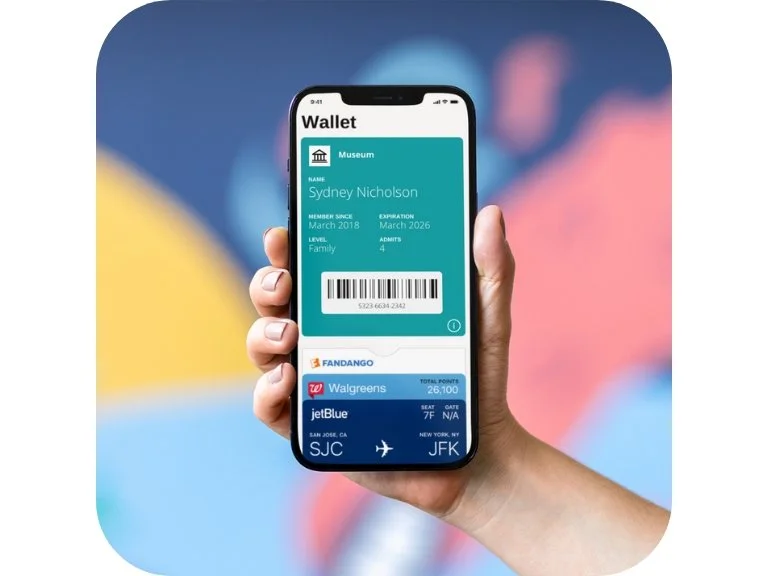
“[Digital membership cards] are easy and modern for museums like ours that are moving into a digital focus over traditional paper methods.”
- Brad Ingles, Membership and Community Partnerships Manager at Museum of Contemporary Art Denver
Ready to Transform Your Museum Membership Program?
FAQS
-
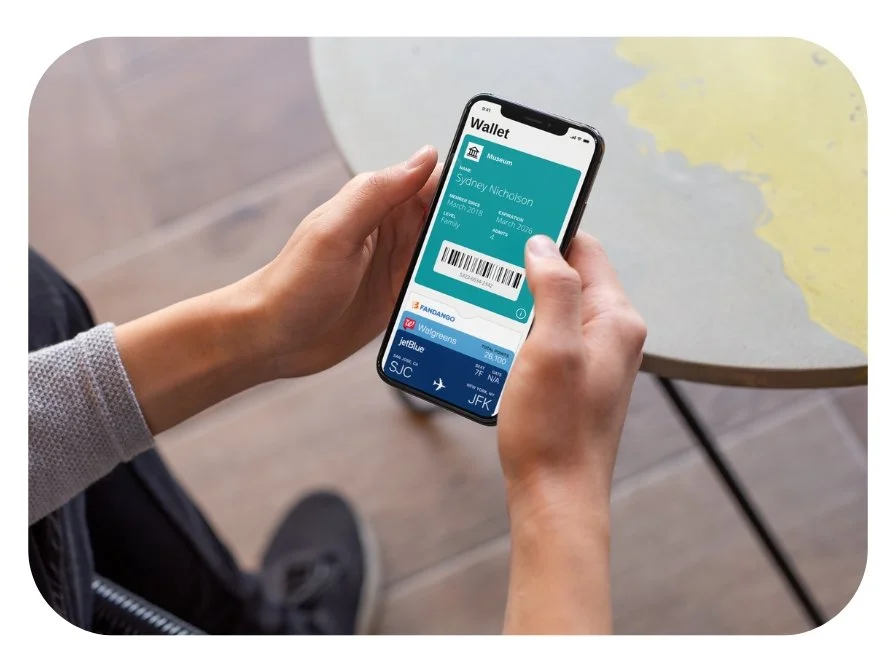
Digital membership cards are electronic versions of traditional membership cards. Once a member signs up or renews, they receive a personalized digital card directly on their smartphone via email or SMS. These cards can be stored in their phone’s wallet app (Apple Wallet or Google Wallet) for easy access and always remain up to date.
-
Digital membership cards are delivered instantly through multiple distribution channels:
• Email: Members receive an email with a link to download the card directly to their phone.
• SMS/Text: A text message with a direct link to their digital card.
• Member Portal: Cards can be accessed and downloaded from a member login page if applicable.
You can customize the delivery method based on your organization’s preferences.
-
Downloading and using a digital membership card is easy:
1. Members receive a link via email or SMS.
2. They tap the link, which opens their personalized digital card.
3. On iPhones, they can add it to Apple Wallet. On Android devices, they can save it to Google Wallet or access it via the link anytime.
Once saved, members can easily show their card for benefits, event access, or discounts.
-
Yes, our digital membership cards integrate seamlessly with most major CRM and membership management systems. This ensures that member data stays up to date and allows for the automatic generation and distribution of cards when members sign up, renew, or upgrade their membership.
We support direct integration with popular CRMs, including:
• Salesforce
• Blackbaud Altru + Raiser’s Edge NXT
• Tessitura Network
• PatronManager
• NEON CRM
• Spektrix
• ACME Ticketing
Additionally, through Zapier, we can connect with over 700+ CRMs and apps for customized workflows. This includes platforms like:
• Dynamics 365
• Bloomerang
• Kindful
• Salsa CRM
• Keela
• HubSpot
• SugarCRM
• iMIS
If your CRM isn’t listed, don’t worry—we offer custom integration solutions to meet your specific needs.
-
Absolutely! Your digital membership card can be fully customized to reflect your museum’s brand. This includes your logo, brand colors, and personalized fields for member information, expiration dates, and more. You can even add links to exclusive offers, event calendars, or social media pages.
-
No problem! Since digital cards are stored on the member’s phone, they are less likely to be lost than physical cards. However, if a member deletes their card or loses their device, they can easily retrieve it by:
• Accessing the original email or SMS with the download link.
• Contacting your membership team for a new link.
-
Our digital membership cards are highly secure. They are generated with unique identifiers to ensure that only the intended recipient can access them. Additionally, sensitive information is protected with advanced encryption, and member data is never shared with third parties.
-
Yes! You can add dynamic content to your digital cards, such as:
• Event Reminders: Notify members of upcoming exhibitions or exclusive events.
• Special Offers: Offer discounts or perks to members and update them in real-time.
• Renewal Notices: Automatically remind members when it’s time to renew their membership.
-
Most organizations can launch their digital membership cards within a few days. Our team will guide you through the setup process, including integration with your CRM and customization of the card design. Once the system is live, cards can be generated and distributed automatically.
-
Yes! Digital membership cards are compatible with both iOS and Android devices. Members with iPhones can store their cards in Apple Wallet, while Android users can use Google Wallet or save the card link for easy access.
